
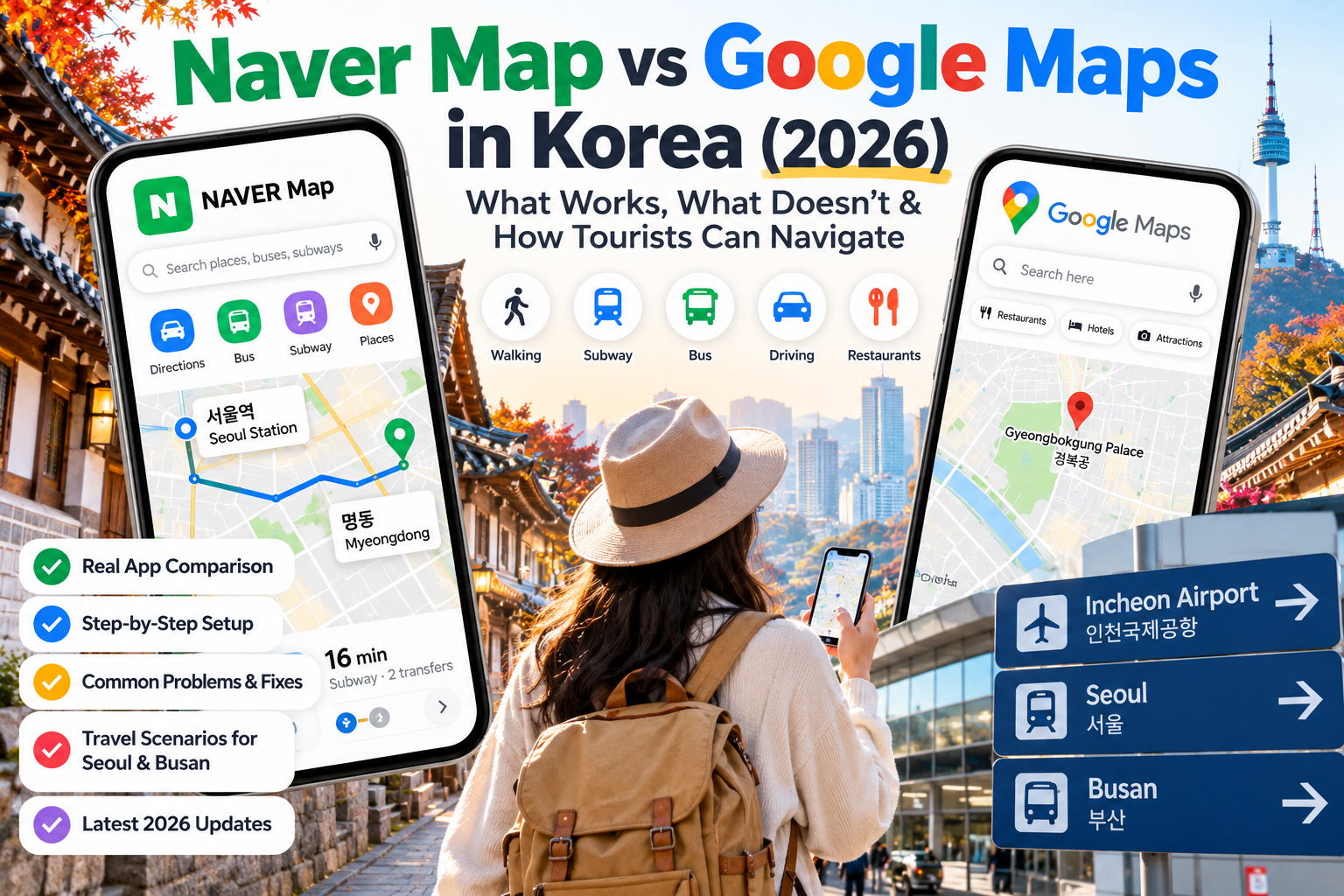
Google Maps is familiar. Naver Map is built for Korea. But in 2026, the smartest travel strategy is not choosing one app blindly—it is knowing which one to use when a route, restaurant, or address cannot be found.
You have just arrived in Seoul. Your hotel is only a short walk from the subway station, or so Google Maps seems to suggest.
You search for walking directions, tap the route button, and discover that the familiar navigation experience you use at home is not working as expected.
Now what?
For international visitors, navigating South Korea can be surprisingly confusing—not because the country lacks good transportation, but because the mapping apps travelers already know do not necessarily provide the same functionality they offer elsewhere.
And in 2026, the situation has become more complicated.
South Korea conditionally approved Google’s request to export high-precision map data in February, potentially paving the way for improved Google Maps navigation. However, regulatory approval and a fully functioning app are not the same thing.
Meanwhile, Naver Map continues to offer locally focused route planning, business information, and increasingly accessible booking features for international visitors.
This guide explains what actually works, what remains uncertain, and how to navigate Seoul, Busan, and the rest of Korea without relying on a single app.
Quick Answer: Which Map App Should Tourists Use in Korea in 2026?
For most visitors, Naver Map is the best primary navigation app to prepare before arriving in South Korea.
Keep Google Maps as a complementary tool for familiar place research, reviews, and routes that are supported in your version of the app. KakaoMap is also a useful backup for local navigation.
| Travel task | Recommended starting point | Important consideration |
|---|---|---|
| Walking between attractions | Naver Map | Check pedestrian routing and actual entrances |
| Subway and bus routes | Naver Map or KakaoMap | Recheck departures and transfers |
| Finding Korean restaurants | Naver Map | Try Korean names when English searches fail |
| Exploring familiar international listings | Google Maps | Check whether the location details are current |
| Driving in Korea | Naver Map or KakaoMap | Do not assume Google driving navigation is available |
| Finding subway exits | Naver Map | Confirm exit numbers and street-level landmarks |
| Restaurant bookings | Naver Map, where supported | Availability and verification requirements vary |
| Backing up an unfamiliar address | Two apps plus Korean address | Matching the exact entrance is essential |
This is a practical recommendation, not the result of a controlled performance test across every Korean city.
Map coverage, English translations, transit data, and navigation features can change.
The best habit is simple: use Naver Map first for local navigation, keep a second mapping option ready, and verify the destination before departing.
1. Does Google Maps Work in South Korea in October 2026?
The answer is more nuanced than a simple yes or no.
Google Maps can display Korean locations and support certain place-search and public-transport functions. However, its navigation capabilities have historically been restricted compared with those available in many other countries.
Recent independent travel-app checks published in October 2026 still reported limitations with walking and driving routes.
That does not mean Google Maps has no value in Korea.
It means travelers should not assume every familiar navigation feature will operate normally.
What changed on February 27, 2026?
South Korea’s government conditionally approved Google’s request to transfer high-precision geographic data overseas.
The approval followed years of disagreement over national security requirements and the handling of detailed geographic information.
Conditions include security processing of sensitive geographic data and safeguards governing how mapping information is processed and exported.
This was a significant policy development.
But it did not automatically establish a public launch date for enhanced walking or driving navigation.
What the approval does—and does not—mean
| Confirmed development | What travelers should understand |
|---|---|
| Conditional approval granted in February 2026 | An important regulatory barrier was reduced |
| Security conditions imposed | Implementation remains subject to compliance requirements |
| Improved Google navigation became possible in principle | Possibility does not equal immediate availability |
| Some Google Maps features already function | This does not guarantee walking or driving navigation |
| No verified nationwide launch date established in sources reviewed | Travelers should test current app functionality |
If you read an older article saying that Google can never provide full navigation in Korea, that explanation is outdated.
But if an article claims the February approval means Google Maps immediately became fully functional, that also goes beyond what the decision established.
As of this guide’s October 18 update, travelers should check the live app before relying on any newly announced Google navigation feature.
2. Naver Map vs Google Maps vs KakaoMap: A Practical Comparison
These three apps serve overlapping but different needs.
Naver Map: The primary local navigation choice
Naver Map is especially useful for finding places within Korea, planning journeys, locating public transportation, and accessing Korean business listings.
It supports multilingual features, including English, although translated names and business information may be incomplete.
Its biggest advantage is not that every interface element is perfectly translated.
It is the combination of local map information, route guidance, transportation features, and business discovery within one service.
For a traveler moving between a subway station, restaurant, café, and hotel, that integration can be valuable.
Google Maps: Familiar but not a complete replacement
Google Maps offers an interface many international travelers already know.
It can be useful when reviewing saved travel ideas, comparing international place information, or looking up attractions.
However, travelers must check route availability for the specific transportation mode.
A public-transit route appearing in Google Maps does not prove that walking or driving directions will also work.
Think of Google Maps as a useful companion rather than the only navigation tool you install.
KakaoMap: A valuable second local map
KakaoMap is another established Korean mapping service, offering local place searches and transportation routing.
It can be useful when a destination is difficult to find in Naver Map or when you want to compare routes.
An effective travel setup does not require mastering every feature of three apps.
Start with one primary service, then use another when information is missing or unclear.
3. Set Up Naver Map Before Leaving for Korea
Installing the app after arriving is possible, but preparation is easier when you have a reliable internet connection and the time to check your destinations.
Step 1: Install the correct app
Look for NAVER Map in your phone’s official app store.
Avoid unofficial downloads that claim to provide modified English-language versions.
Step 2: Check your language preferences
Open the app and look for its language settings.
English-language functionality is available, but the exact settings screens may vary by app version, operating system, and account.
Even after choosing English, some business names, reviews, and location details may remain in Korean.
That is normal and does not necessarily mean your language setting is wrong.
Step 3: Allow location access when appropriate
Location permission helps the app identify your starting point.
You can choose a permission level that matches your privacy preferences.
If location access is unavailable or inaccurate, enter the starting place manually.
Step 4: Search for your first three essential destinations
Before your flight, search for:
- Your hotel
- Your arrival airport or main train station
- The nearest subway station to your accommodation
Check that each result matches the address supplied by the hotel or transportation operator.
A neighborhood name is not enough.
For example, two hotels described as being in Hongdae may be a significant walking distance apart.
Step 5: Save your important places
Use the app’s available bookmarking or saved-place functions where supported.
Also keep a separate note containing your hotel’s address in Korean and English.
An independent copy is useful if you lose access to your account or internet connection.
4. The Most Common Problem: A Place Appears in Google Maps but Not in Naver Map
This is one of the most frustrating situations for international travelers.
You may have found a café through Instagram, saved it in Google Maps, and then discovered that searching for the English name in Naver Map returns no obvious result.
The venue might still be there.
The problem may be its registered Korean business name, transliteration, branch name, or listing details.
How to solve it
First, check whether the original source includes the Korean name.
Then copy that name into Naver Map.
If it still does not appear, search the Korean street address or road-name address.
Next, compare the result against the original location information.
Finally, confirm that you have found the correct branch.
For businesses with multiple locations, matching the name alone is insufficient.
Useful Korean location words
| English meaning | Korean search word |
|---|---|
| Seoul Station | 서울역 |
| Busan Station | 부산역 |
| Hongdae Entrance Station | 홍대입구역 |
| Myeongdong Station | 명동역 |
| Gyeongbokgung Palace | 경복궁 |
| Haeundae Beach | 해운대해수욕장 |
| Incheon International Airport | 인천국제공항 |
| Restaurant | 식당 |
| Café | 카페 |
| Main entrance | 정문 |
| Parking lot | 주차장 |
Copying Korean text from a hotel’s official address or a venue’s verified listing is generally safer than guessing how its English name should be spelled in Korean.
For attractions, the name may identify a large complex rather than the exact visitor entrance.
5. Five Navigation Problems—and How to Recover
Problem 1: Walking directions are unavailable in Google Maps
What to do: Open the destination in Naver Map and request a walking route.
Check the destination pin before following the route.
If it represents a large station, shopping mall, or palace, look for the actual entrance you need.
Do not assume a straight-line distance is a walkable route.
Problem 2: The English restaurant name returns no result
What to do: Search using the Korean business name or address.
Check the district and branch.
If the original listing is from social media, verify whether the business is still operating before making a long journey.
A restaurant with the same name may have several branches in Seoul.
Problem 3: The subway exit is not the one you expected
What to do: Recheck the destination and station-exit information in your local navigation app.
Large subway stations can have numerous exits and long underground corridors.
The correct station may still leave you with a confusing final walk if you select the wrong exit.
Check elevator access when traveling with luggage, a stroller, or mobility limitations.
Problem 4: The suggested bus route looks unusually complicated
What to do: Compare a route in Naver Map with KakaoMap.
Consider whether a subway route with one predictable transfer is more convenient than several bus transfers.
Also check the direction of travel, boarding stop, and service time.
A route displayed earlier in the day may not be practical late at night.
Problem 5: The hotel address appears in the wrong location
What to do: Return to the hotel’s official confirmation, copy its Korean address, and compare it with the map result.
Do not rely only on the name of the neighborhood or the hotel’s marketing description.
For taxis, showing the exact Korean address can be more reliable than giving an English-language hotel name alone.
6. Real Travel Scenario: From Incheon Airport to a Hotel in Seoul
Imagine arriving at Incheon International Airport for your first Korea trip.
You are staying in Myeongdong, but the booking confirmation only includes an English hotel name.
Before leaving the terminal, follow this sequence.
First, confirm the hotel’s full address.
Use the official confirmation email, not a shortened search result.
Second, locate the address in Naver Map.
Compare the building name and street address.
Third, choose your arrival transportation.
Depending on the exact hotel, public transportation might involve an airport train, subway transfer, airport bus, or taxi.
Do not assume one route works best for every hotel in Myeongdong.
Fourth, check the final walking segment.
A hotel near a major station may still be far from the exit selected by a navigation app.
Fifth, save the location.
This makes it easier to return after sightseeing.
If you are arriving with large suitcases, consider the number of transfers and the final walking distance—not just the estimated fare.
7. Real Travel Scenario: Exploring Busan Without Getting Lost
Busan illustrates why exact locations matter.
Haeundae, Seomyeon, and Busan Station are all major visitor destinations, but they serve different parts of the city.
Suppose you arrive at Gimhae International Airport and plan to stay near Haeundae Beach.
A practical process is:
- Search your hotel in Naver Map.
- Confirm its exact address and nearest station.
- Compare light-rail, subway, bus, and taxi options.
- Check the last public-transport services if arriving late.
- Save the hotel and the airport for your return trip.
Don’t plan your journey based only on the word “Busan.”
The city is geographically extensive, and the most convenient airport transfer depends on your final neighborhood.
For a detailed transportation comparison, read our Gimhae Airport to Busan guide for Haeundae, Seomyeon and Busan Station.
The broader principle applies throughout Korea: map the final destination, not merely the city or station where your journey begins.
8. What Changed for Foreign Travelers Using Naver Booking in 2026?
Naver Map is increasingly useful for more than directions.
In June 2026, NAVER introduced passport-based identity verification for foreign users, expanding access to supported booking, ordering, and payment services without requiring a Korean mobile phone number for that identity-verification step.
This is particularly relevant to tourists who have struggled with Korean phone-number requirements.
However, there are important limitations.
Not every business accepts foreign-user bookings.
Some reservation products may have separate eligibility requirements, payment conditions, or restrictions.
Passport verification also does not guarantee that every international payment method will be accepted.
How to prepare for a booking
Start by opening the venue’s listing in Naver Map.
Look for a booking or reservation option, if available.
Read the booking requirements, available languages, and cancellation policy.
If the service requests passport verification, follow NAVER’s official instructions within its supported verification flow.
Be prepared to confirm your identity using an eligible passport and the required camera-based process.
Do not share passport photographs through unofficial messaging channels or third-party links claiming to complete verification for you.
Important: NAVER’s help documentation identifies special account-status requirements for certain foreign-tourist booking flows. Follow the instructions for the specific service rather than assuming every NAVER account works identically.
For restaurants that do not support online booking for your account, check whether the venue offers another official reservation method.
9. Internet Access Is Part of Your Navigation Plan
A mapping app is much less useful if your phone has no reliable data connection.
Before arriving in Korea, choose a connectivity option such as an appropriate international roaming plan, a local SIM, or an eSIM compatible with your device.
If you plan to use an eSIM, confirm compatibility, activation rules, validity period, and data allowance before buying.
You can compare the options in our South Korea eSIM guide: Airalo vs Nomad vs Holafly.
Can you use offline maps instead?
Offline maps can help with some location reference tasks, but you should not assume that downloading a map provides complete offline pedestrian or public-transport navigation throughout Korea.
The capabilities differ by app and may change.
Save your hotel’s address separately, and take screenshots of essential travel information before beginning a long journey.
A saved screenshot of the correct Korean address can be useful even when live navigation is temporarily unavailable.
10. The Two-App Strategy That Makes Korean Travel Easier
There is no need to switch between three apps every few minutes.
For most visitors, a simple two-app strategy is enough.
Use Naver Map for movement
Use it to find walking routes, local transit directions, station exits, and Korean business listings.
Use Google Maps for supplementary research
Continue using familiar saved lists, international reviews, or available place information where useful.
If you encounter a route that does not function, change apps rather than repeatedly trying the same unsupported mode.
Keep KakaoMap as an optional fallback
If a location, bus stop, or route seems inconsistent, checking a second Korean mapping service can help.
Do not automatically assume the second app is correct. Compare the exact address and other reliable details.
11. Your Before-Departure Map Checklist
Before boarding your flight, make sure you can answer these questions:
- Have you installed a Korean navigation app?
- Can you locate your hotel using its Korean address?
- Have you confirmed the hotel’s nearest subway station and exit?
- Do you have working mobile data arranged for arrival?
- Have you saved your first destination outside the app?
- Can you find the airport or train station you will depart from?
- Do you have a backup if your preferred navigation app fails?
- Have you verified the current hours of any attraction that requires a reservation?
For a multi-city trip, repeat the address check each time you change accommodations.
It takes only a few minutes and can prevent unnecessary confusion.
Frequently Asked Questions
Is Google Maps banned in South Korea?
No. Google Maps is accessible, but historically it has had limitations in certain navigation functions. The February 2026 map-data decision was a conditional regulatory approval, not a blanket guarantee that every route feature had launched.
Is Naver Map available in English?
Yes. Naver Map provides English-language functionality. However, some place names, business information, and reviews may still appear in Korean.
Is Naver Map better than Google Maps for walking?
For visitors traveling in Korea in October 2026, Naver Map is the safer starting choice for walking routes. Confirm available functions in the current versions of both apps before relying on them.
Should I download KakaoMap too?
It is useful as a backup, particularly if you want to compare local routes or verify an address that is difficult to locate in your primary app.
Does Naver Map require a Korean phone number?
Not for every function. Basic navigation does not generally depend on Korean mobile-number verification. Some account-based services have additional requirements. NAVER introduced foreign-passport verification for supported booking and payment flows in 2026.
Can tourists reserve restaurants through Naver Map?
Some businesses support reservations for eligible foreign users. However, booking eligibility, payment requirements, and business participation vary.
Can I rely entirely on offline Google Maps in Korea?
No. Offline maps should be treated as a backup reference, not as a guaranteed replacement for live walking routes, public-transit information, and up-to-date local business details.
What if the address is in Korean?
Copy the Korean address directly into Naver Map. Verify the district, building, and destination before starting your route.
Final Verdict: Which Map App Should You Actually Use?
South Korea’s map-app landscape is changing, but tourists should base their travel plans on features they can use today rather than services that may become available in the future.
For now, Naver Map is the strongest default choice for local navigation, particularly for walking routes, public transportation, Korean business searches, and locating the correct station exits.
Google Maps remains useful as a complementary research tool, while KakaoMap provides another local option when you need to double-check a route or destination.
The 2026 Google map-data approval is significant, but it should not be confused with a verified launch of complete navigation functionality.
And the growing accessibility of NAVER’s foreign-user booking services adds another reason for travelers to learn the platform before visiting Korea.
The best advice is not simply “download Naver Map.”
It is this:
Save the exact Korean address, test the route you need, and keep a backup ready.
Once those habits become part of your travel routine, navigating Korea becomes much easier—even when the app you usually trust does not behave as expected.
Sources and fact-checking notes
- Yonhap News Agency — South Korea conditionally approves Google’s high-precision map export, February 27, 2026
- NAVER — Passport verification for foreign travelers, June 9, 2026
- NAVER Help — Foreign Passport Verification
- NAVER Help — Map reservation services for overseas tourists
- Korea Tourism Organization — International Visitors’ Transportation Guide
- Korea How Now — October 2026 Google Maps feature check
Editorial note: This article is based on official announcements and publicly reported app observations. We have not independently tested every app version, route, device, or destination. Navigation capabilities and booking eligibility can change.
Last reviewed: October 18, 2026.